
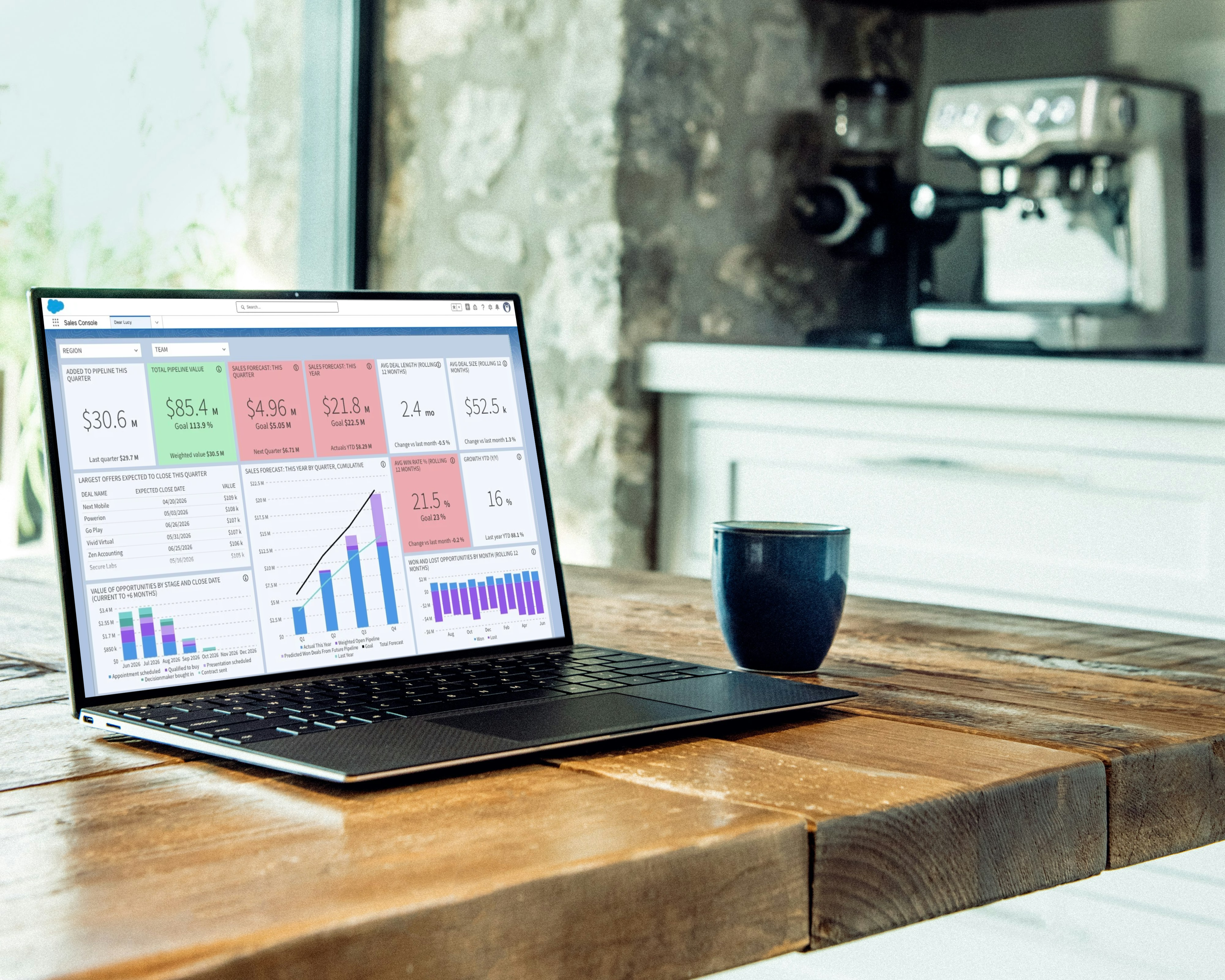
Power BI Alternative for Salesforce Sales Reporting
If you're looking for a Power BI alternative because your team needs better Salesforce sales reporting, you're probably not alone.
Many CROs, CSOs and RevOps teams reach a point where native Salesforce reports are no longer enough.
Leadership wants better visibility.
Sales managers want clearer pipeline insights.
RevOps wants more reliable forecasting.
The board wants numbers that are easy to explain.
And suddenly the team starts asking:
Should we build this in Power BI?
Power BI is a strong analytics platform, especially for companies already using Microsoft tools. But if your main goal is Salesforce sales reporting, forecasting and executive dashboards, you may not need a full BI implementation at all.
You may need a Salesforce-first reporting solution that works out of the box.
TL;DR
Power BI is a powerful business intelligence platform, especially for organizations already invested in Microsoft, Excel, Azure or Fabric.
But if your goal is better Salesforce dashboards, pipeline analytics, sales forecasting and board reporting, a purpose-built solution like Dear Lucy can often be faster to implement, easier for sales teams to use and simpler to maintain.
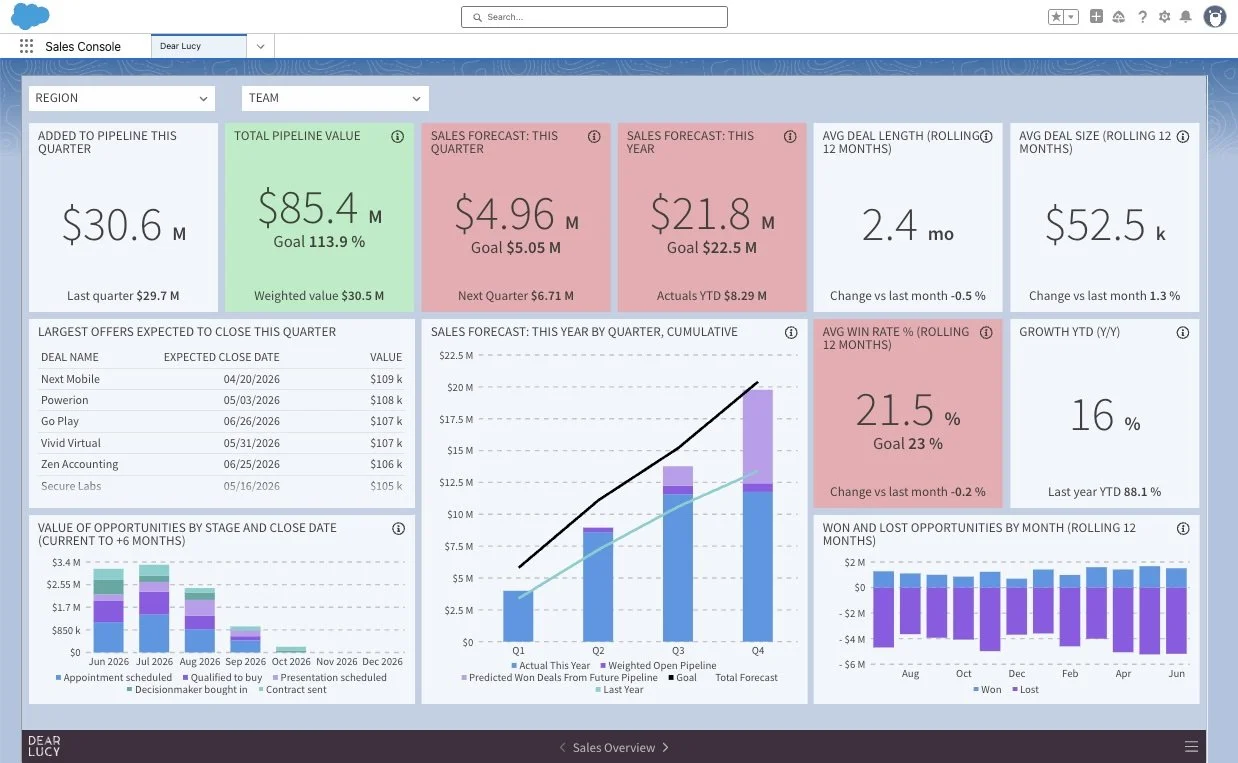
Executive Salesforce dashboard built with Dear Lucy — a fast, plug-and-play alternative to building sales reports in Power BI.
Who is this article for?
This guide is written for:
CROs
CSOs
RevOps leaders
Sales Operations teams
Salesforce Administrators
CEOs and leadership teams who need better sales visibility
If your company uses Salesforce and you're evaluating Power BI mainly to improve sales reporting, this article is for you.
Why Salesforce teams start looking at Power BI
Power BI often enters the conversation because it feels like a logical next step.
Many companies already use Microsoft 365, Excel, Teams or Azure. Some already have Power BI licenses available. Finance or operations may already use Power BI for reporting.
So when Salesforce reporting becomes difficult, the natural question is:
Could we just build this in Power BI?
And sometimes the answer is yes.
Power BI can connect to Salesforce, combine data from multiple systems and create highly customized dashboards.
For technical teams, it can be a flexible and powerful option.
But for sales leadership, the question is not only whether something can be built.
The question is how quickly it can create value.
Where Power BI starts becoming complex
Power BI is powerful because it is flexible.
But that flexibility often comes with extra work.
To create reliable Salesforce sales reporting in Power BI, many teams need to think about:
Data connections
Data modelling
DAX calculations
Refresh schedules
Dashboard design
User permissions
Maintenance
Ongoing changes when leadership wants new KPIs
For a finance or analytics team, that may be normal.
For a sales organization that simply wants better visibility into pipeline, forecast and revenue performance, it can become a project.
And that is where many RevOps teams start looking for a faster alternative.
The real question: do you need BI, or better Salesforce reporting?
Before choosing Power BI, it is worth asking a simple question:
Do you need a company-wide BI platform, or do you need better sales reporting from Salesforce?
Those are not the same thing.
If your organization needs analytics across finance, operations, product, marketing and customer success, Power BI may be the right choice.
But if your leadership team mainly wants answers to questions like these, a Salesforce-first reporting solution may be a better fit:
Are we going to hit this quarter's target?
How much pipeline do we have?
Where are the biggest risks?
Which teams are behind goal?
How accurate was our forecast last month?
What should we show in the board meeting?
Those are sales leadership questions.
They don't always require a full BI project.
A Salesforce-first alternative to Power BI
Dear Lucy is built specifically for sales reporting, forecasting and performance management.
Instead of asking your team to build dashboards from scratch, Dear Lucy connects directly to Salesforce and automatically creates live dashboards for sales leaders, RevOps and executives.
You can use Dear Lucy for:
Pipeline analytics
Board reporting
Sales performance management
Forecast accuracy
Sales leaderboards
The goal is simple: help revenue teams understand what is happening in Salesforce without building and maintaining reports manually.
Why CROs and RevOps teams like plug-and-play reporting
Most CROs do not want another reporting project.
They want answers.
Are we on track?
What changed since last week?
Where is pipeline coverage weak?
Which deals are slipping?
Which sales managers need support?
Where should we focus right now?
A plug-and-play Salesforce reporting solution is designed around those questions from the beginning.
Instead of spending weeks defining dashboards, modelling data and creating visuals, the team can start with sales dashboards that are already built around the way revenue teams work.
That is the main difference.
Power BI gives you a flexible tool to build reporting.
Dear Lucy gives you Salesforce sales reporting that is already designed for sales leadership.
Faster dashboards for Salesforce sales teams
Sales teams need reporting that is easy to access and easy to understand.
If dashboards live in a separate BI environment, adoption can become harder.
People need to know where to go, what to open and how to interpret the report.
Dear Lucy is designed to make Salesforce reporting more immediate.
Dashboards can be embedded directly inside Salesforce, so sales teams and leadership can access live reporting where they already work.
This matters because reporting only creates value when people actually use it.
When Power BI is the better choice
Power BI may be the better choice if your company needs:
Enterprise-wide analytics
Advanced data modelling
Reporting across many business systems
Highly customized visualizations
A dedicated analytics or BI team
Deep integration with Microsoft data infrastructure
For those use cases, Power BI can be an excellent platform.
It is especially strong when the company already has a mature Microsoft analytics environment and internal resources to build and maintain dashboards.
When Dear Lucy may be the better choice
Dear Lucy may be a better fit if your primary goal is improving Salesforce sales reporting.
It is especially relevant if you want:
Executive sales dashboards
Sales forecasting
Pipeline analytics
Revenue reporting
Board reporting
Goal tracking
Sales performance visibility
Forecast accuracy tracking
Fast implementation
Low maintenance
Dashboards that sales teams can actually use
Dear Lucy is not trying to replace Power BI for every use case.
It is built to solve a specific problem:
Helping revenue teams get better visibility from Salesforce without turning reporting into a BI project.
Power BI vs Dear Lucy: the practical difference
The practical difference is not just features.
It is the starting point.
With Power BI, your team starts with a powerful analytics platform and builds the sales reporting layer.
With Dear Lucy, your team starts with sales reporting that is already designed for Salesforce data.
That difference matters when leadership wants visibility quickly.
If your sales team needs dashboards for forecasting, pipeline health, revenue performance and board reporting, Dear Lucy can often get you there faster because those use cases are already built into the product.
Why this matters for RevOps
RevOps teams are often the ones carrying the reporting burden.
They are asked to answer every version of:
Can we see this by region?
Can we split this by team?
Can we compare forecast to actuals?
Can we see this for next quarter?
Can we prepare this for the board?
Can we make it easier for managers?
With a general BI tool, RevOps may still own much of the building and maintenance.
With a purpose-built Salesforce reporting solution, much of the structure is already there.
That means RevOps can spend less time maintaining dashboards and more time improving revenue operations.
Frequently asked questions
Can Power BI connect to Salesforce?
Yes. Power BI can connect to Salesforce data and be used to build dashboards and reports.
However, connecting the data is only one part of the process. Teams often still need to model the data, create calculations, design dashboards and maintain reporting over time.
Is Power BI good for Salesforce dashboards?
Power BI can be good for Salesforce dashboards, especially if your company already has Power BI expertise.
But if your goal is sales forecasting, pipeline analytics and executive Salesforce reporting, a purpose-built solution may be faster and easier to maintain.
Is Dear Lucy a Power BI replacement?
Not for every use case.
Power BI is a broad business intelligence platform.
Dear Lucy is a purpose-built Salesforce sales reporting solution.
If your reporting needs are focused on sales leadership, forecasting, pipeline and revenue performance, Dear Lucy may replace the need to build Salesforce reporting in Power BI.
Does Dear Lucy require BI expertise?
No.
Dear Lucy is designed as a plug-and-play reporting solution for sales teams, RevOps and executives. It does not require building dashboards from scratch in a BI tool.
Can Dear Lucy dashboards be embedded in Salesforce?
Yes. Dear Lucy dashboards can be embedded directly inside Salesforce, making it easier for sales teams and leadership to access reporting where they already work.
Which is better for CROs: Power BI or Dear Lucy?
It depends on the goal.
If the CRO needs company-wide analytics across many data sources, Power BI may be the better choice.
If the CRO mainly needs Salesforce sales forecasting, pipeline analytics, executive dashboards and board reporting, Dear Lucy is likely the faster and more focused option.
Final thoughts
Power BI is an excellent business intelligence platform.
But if you are evaluating Power BI mainly because Salesforce reporting is not giving your leadership team the visibility they need, it is worth asking whether you really need a BI platform.
For many sales organizations, the need is more specific.
They need better Salesforce dashboards.
They need forecasting they can trust.
They need pipeline analytics.
They need board-ready revenue reporting.
And they need it without a long implementation project.
That is where a purpose-built Salesforce reporting solution like Dear Lucy can make sense.
If you're looking for a Power BI alternative for Salesforce sales reporting, start a free Dear Lucy trial and see how quickly your Salesforce data can become executive-ready dashboards.