
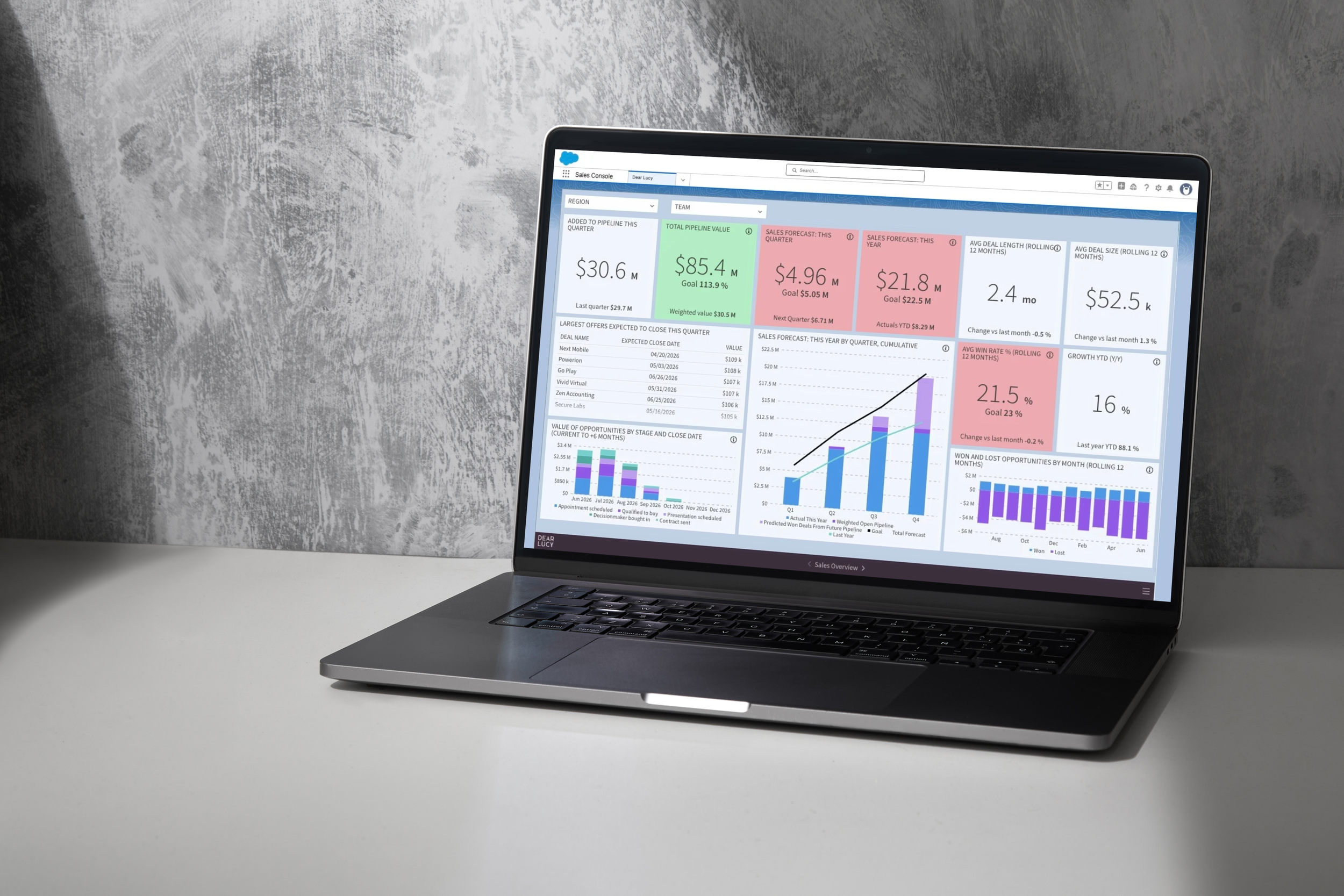
Looking for a Tableau Alternative for Salesforce Sales Reporting?
If you're searching for a Tableau alternative because you need better Salesforce dashboards, forecasting or pipeline analytics, you're asking a question many CROs, CSOs and RevOps leaders are asking today.
Salesforce contains an incredible amount of sales data.
The challenge isn't collecting it.
The challenge is turning it into dashboards executives actually use.
Many organizations initially look at Tableau because they want better visibility into pipeline, revenue and forecasting.
Tableau is an outstanding business intelligence platform.
But if your primary goal is Salesforce sales reporting, there may be a much simpler way to get the insights your leadership team needs.
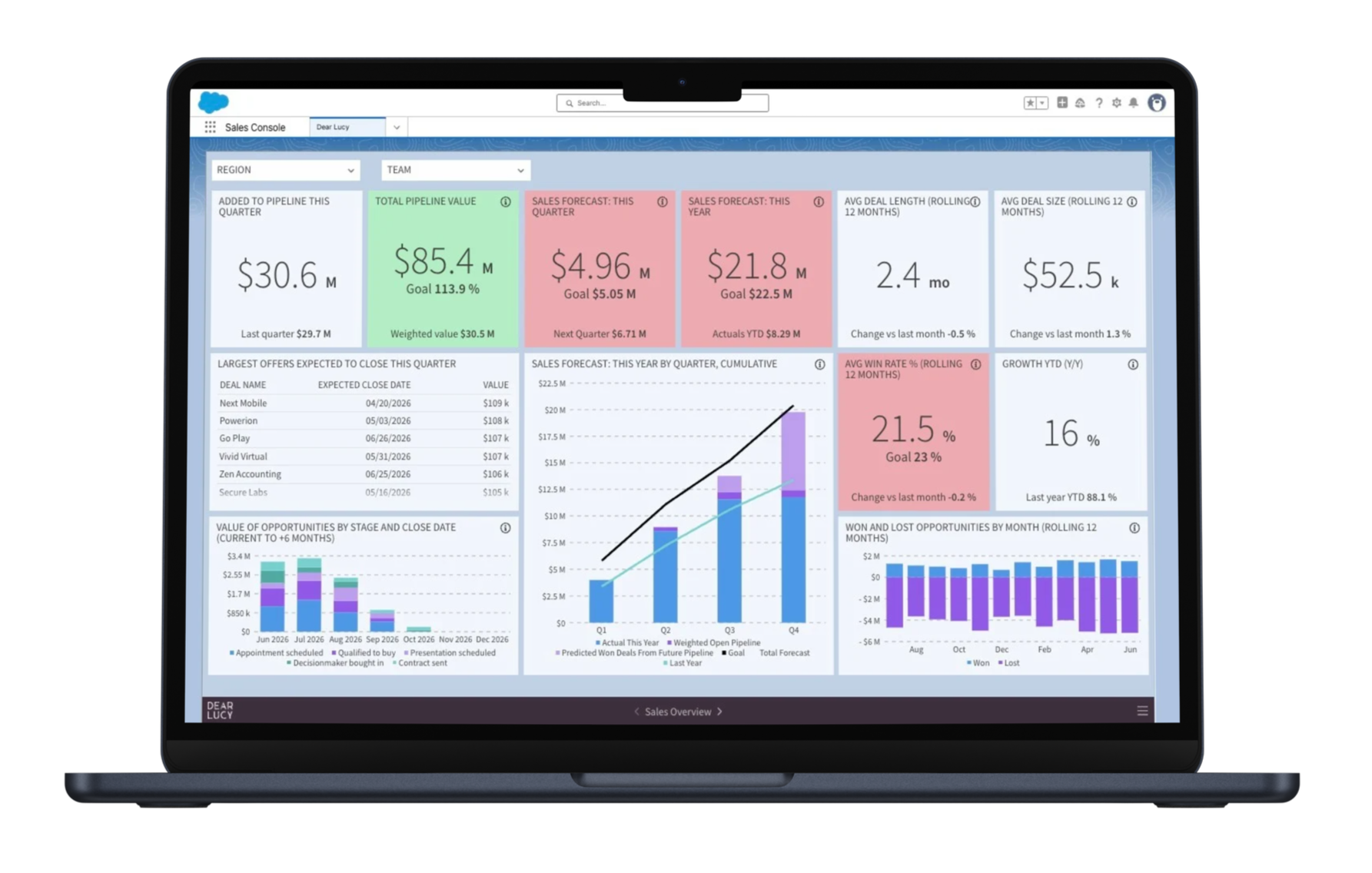
Dear Lucy embedded directly inside Salesforce. No separate BI platform or browser tab required.
TL;DR
If your company needs enterprise-wide analytics across multiple departments, Tableau is one of the best BI platforms available.
If your goal is executive sales dashboards, forecasting, pipeline analytics and board reporting using Salesforce data, a purpose-built solution like Dear Lucy can often be implemented much faster, requires significantly less maintenance and delivers value almost immediately.
Who is this article for?
This guide is written for:
Chief Revenue Officers (CROs)
Chief Sales Officers (CSOs)
RevOps leaders
Sales Operations teams
Salesforce Administrators
CEOs looking for better sales visibility
If your leadership team depends on Salesforce data to make revenue decisions, this article is for you.
Why Salesforce Teams Start Looking at Tableau
Most companies don't wake up one morning and decide they need Tableau.
They usually reach a point where Salesforce reporting is no longer enough.
Leadership starts asking questions such as:
Are we actually going to hit our quarterly target?
Which regions are behind plan?
How accurate are our forecasts?
Which deals are putting the quarter at risk?
Where should sales managers focus this week?
Can we have one executive dashboard instead of twenty different reports?
Salesforce contains the answers.
Getting those answers in a format executives trust is often the difficult part.
That's why many organizations start evaluating Tableau.
Tableau Is Excellent—But Do You Need a Full BI Platform?
Let's be clear.
Tableau is one of the best business intelligence platforms in the world.
If your organization needs advanced analytics across finance, operations, manufacturing, marketing and customer success, Tableau is an excellent investment.
It offers almost unlimited flexibility.
But flexibility also means complexity.
Many Salesforce organizations discover they also need:
Data modelling
Dashboard development
BI expertise
Ongoing maintenance
User training
Continuous dashboard updates as business requirements evolve
For organizations focused primarily on Salesforce sales reporting, this can become a surprisingly large project.
The Question Most Revenue Leaders Should Be Asking
Instead of asking:
"Should we buy Tableau?"
Many revenue leaders should first ask:
"Do we actually need a business intelligence platform?"
If your objective is simply to give executives better visibility into Salesforce data, there may be a much faster path.
A Different Approach: Purpose-Built Salesforce Sales Reporting
Instead of building dashboards from scratch, many Salesforce organizations are now choosing reporting platforms designed specifically for sales leadership.
Dear Lucy connects directly to Salesforce and automatically creates executive dashboards focused on the metrics revenue teams actually care about.
Examples include:
Pipeline analytics
Executive dashboards
Board reporting
Sales performance dashboards
Forecast accuracy
Sales leaderboards
Rather than spending weeks building dashboards, leadership can start making decisions immediately.
Why CROs and RevOps Teams Like Plug-and-Play Reporting
Revenue leaders rarely ask for another analytics platform.
They ask questions like:
"Are we on track?"
"Where is pipeline coverage weak?"
"Which managers need coaching?"
"What changed since last week?"
"Can I trust this forecast?"
The best reporting tools answer those questions without requiring a BI project.
That's one reason many Salesforce organizations are moving toward plug-and-play reporting solutions.
Instead of maintaining dashboards, revenue teams can focus on improving sales performance.
Faster Implementation, Less Maintenance
One of the biggest differences between a traditional BI platform and a purpose-built Salesforce reporting solution is how quickly leadership gets value.
With a traditional BI implementation, significant effort often goes into designing dashboards, modelling data and maintaining reports.
Purpose-built Salesforce reporting tools take a different approach.
They already understand the language of sales.
Forecasts.
Pipeline.
Revenue.
Quota attainment.
Sales velocity.
Executive KPIs.
Board reporting.
Instead of building everything yourself, you start with dashboards designed specifically for sales organizations and customize them as your business evolves.
When Tableau Is Still the Better Choice
Tableau remains an outstanding choice if your organization needs:
Enterprise-wide analytics
Advanced data modelling
Reporting across many different business systems
Highly customized visualizations
Dedicated BI resources
For these use cases, Tableau is difficult to beat.
When Dear Lucy May Be the Better Choice
Dear Lucy is often a better fit when your primary goal is improving Salesforce sales reporting.
It is particularly well suited for organizations that want:
Executive dashboards
Accurate sales forecasting
Pipeline analytics
Board reporting
Revenue reporting
Goal tracking
Fast implementation
Low maintenance
Dashboards embedded directly inside Salesforce
Rather than replacing enterprise BI, Dear Lucy focuses on helping revenue teams make better decisions using Salesforce data.
Frequently Asked Questions
Is Dear Lucy a Tableau replacement?
Not in the traditional sense.
Tableau is an enterprise business intelligence platform.
Dear Lucy is a purpose-built Salesforce sales reporting platform designed for executive dashboards, forecasting and pipeline analytics.
If your reporting needs are centered around Salesforce sales performance, many organizations find they simply don't need the complexity of a full BI platform.
Can Dear Lucy be embedded inside Salesforce?
Yes.
Dear Lucy dashboards can be embedded directly inside Salesforce, allowing sales teams and leadership to access live dashboards without leaving their CRM.
Does Dear Lucy require BI expertise?
No.
Dear Lucy is designed to be a plug-and-play reporting solution that business users can adopt quickly without building dashboards from scratch.
How quickly can leadership start using the dashboards?
Most organizations can start exploring their Salesforce data almost immediately after connecting their CRM, rather than waiting for a lengthy BI implementation project.
Final Thoughts
Choosing between Tableau and a purpose-built Salesforce reporting platform isn't really about which product is "better."
It's about choosing the right tool for the job.
If your organization needs enterprise business intelligence across multiple departments, Tableau is an excellent platform.
But if your goal is giving your CRO, CSO, RevOps team and executives better visibility into Salesforce performance, forecasting and pipeline health, you may not need a traditional BI project at all.
A purpose-built solution like Dear Lucy can deliver executive-ready dashboards in minutes, helping revenue teams spend less time building reports and more time growing revenue.
Ready to see what your Salesforce data could look like?
Start your free Dear Lucy trial and experience executive sales reporting built specifically for Salesforce.